
Campus Health has created a new feature for telehealth appointments, making it easier and faster for you to check in and connect to your healthcare provider for your upcoming telehealth appointment.
To access the link to your telehealth appointment, please follow the below steps:
- Log onto your Patient Portal at least 10 minutes before your scheduled telehealth appointment.
- On the homepage of your patient portal, under the Upcoming Appointments section, click the blue Check In button.
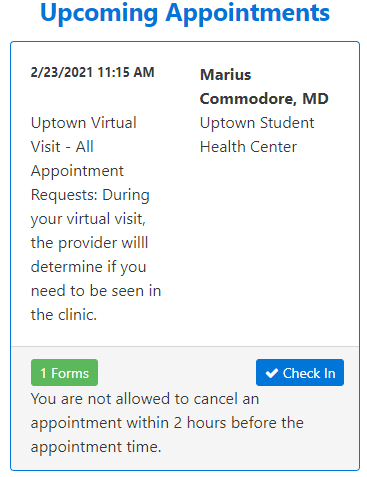
Screenshot from the Patient Portal indicating the blue "Check In" button. - A pop window may appear asking you to complete forms associated with this appointment. Click the blue OK button and complete necessary forms. If you do not have any forms to complete, you will not see this pop window.
- After checking in for your appointment, under the Upcoming Appointments section, a new orange button will appear that says Telehealth. Click this button.
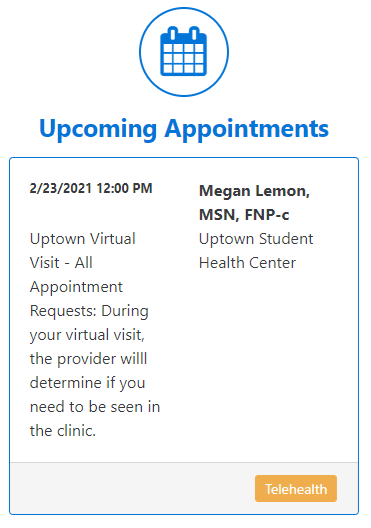
Screenshot from the Patient Portal indicating the orange "Telehealth" button. - A new pop window will appear with your link to your telehealth appointment. Simply click the Zoom link for your telehealth appointment, and it will take you to the “waiting room” until your healthcare provider lets you into the session.
If you have any questions about this new feature, please feel free to reach out to Campus Health via email at campushealth@tulane.edu.
